Managing Domain Auto-Renew
Domain auto-renew ensures your domain is renewed automatically before it expires, so you never lose it due to an oversight. This guide explains how to enable or disable auto-renew, how the renewal process works, and what happens if a domain expires.
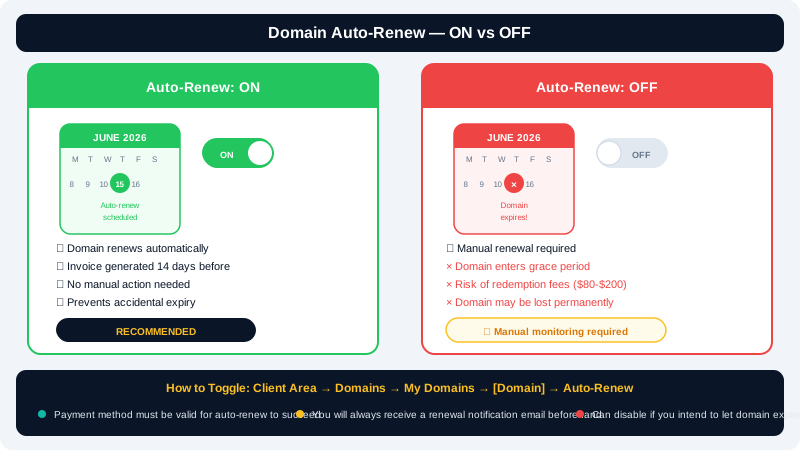
How Auto-Renew Works
When auto-renew is enabled, CyclebreezeHost will attempt to charge the payment method on file and renew your domain typically 30 days before the expiry date. A renewal confirmation email is sent to the address associated with your account.
If the initial charge fails, you will receive reminder emails. You will also receive a final notice closer to the expiry date. Keeping your payment details up to date in the Client Area is essential for uninterrupted renewals.
Enabling or Disabling Auto-Renew
- Log in to the Client Area at https://clients.cyclebreezehost.com.
- Click Domains in the top navigation bar.
- Locate the domain you want to manage and click its name to open the domain management panel.
- Find the Auto Renew section.
- Toggle the setting to Enabled or Disabled as required.
- The change is saved immediately — no confirmation button is needed unless prompted.
You can manage auto-renew individually for each domain in your account.
Checking All Domain Renewal Dates
To see the status and expiry date of all your domains at once:
- Log in to the Client Area.
- Click Domains — the domain list shows the expiry date and auto-renew status for each domain in a table.
Sort by Expiry Date to quickly identify domains that need attention.
Manually Renewing a Domain
If auto-renew is disabled or you want to renew ahead of schedule:
- In the Client Area, go to Domains and click the domain name.
- Click Renew Domain.
- Select the renewal period (1–10 years depending on the TLD).
- Proceed to checkout and complete payment.
Manual renewal adds the selected period on top of the current expiry date, not from today's date.
What Happens When a Domain Expires
| Stage | Timeframe | Status |
|---|---|---|
| Active | Before expiry | Domain resolves normally |
| Grace Period | 0–30 days after expiry | Domain suspended; renewal at standard price |
| Redemption Period | 30–75 days after expiry | Domain held by registry; recovery fee applies |
| Deletion | After redemption period | Domain released; anyone can register it |
Restoring a domain during the Redemption Period incurs a significant additional registry fee — in some cases $100 or more. Always renew before expiry.
Recommended Settings
- Enable auto-renew for domains critical to your business.
- Keep a valid payment method saved in the Client Area at all times.
- Verify your account email is active so you receive renewal notices.
- For domains you no longer need, disable auto-renew well before the expiry date to avoid an unwanted charge.
Auto-Renew for .co.za and Other ZA Domains
South African domains managed through the ZACR registry follow the same auto-renew flow in the Client Area. However, the redemption and deletion timeline for ZA domains may differ from gTLDs. Contact CyclebreezeHost support for the latest details specific to your ZA domain.
Need Help?
If a domain has expired or you have questions about your renewal status, contact the CyclebreezeHost support team at info@cyclebreezehost.com or open a support ticket in the Client Area. Our team is available 24/7.