Managing Your Billing and Account
Your CyclebreezeHost client area gives you full control over billing, payments, and account settings.
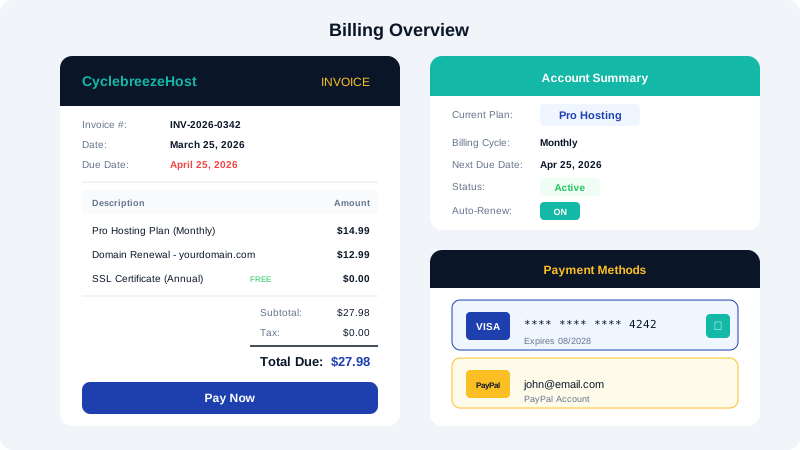
Accessing the Client Area
Log in at the CyclebreezeHost website and click Client Area or My Account in the navigation menu.
Viewing Invoices
- In the client area, click Billing in the sidebar.
- Click My Invoices to see all past and current invoices.
- Click any invoice to view details or download a PDF.
Updating Payment Methods
- Go to Billing → Payment Methods.
- Click Add New Payment Method to add a credit card or PayPal account.
- To change your default payment method, click the method you want to use and select Make Default.
Upgrading or Downgrading Your Plan
- Go to Services → My Services.
- Click on the hosting plan you want to change.
- Click Upgrade/Downgrade.
- Select your new plan and complete the order.
Upgrades take effect immediately. Downgrade changes apply at the start of your next billing cycle. Our team handles the migration so your website experiences no downtime.
Cancelling a Service
- Go to Services → My Services.
- Click on the service you want to cancel.
- Click Request Cancellation.
- Select whether you want immediate cancellation or cancellation at the end of the billing period.
- Provide a reason (optional) and confirm.
Important: Download a backup of your data before cancellation. Once a service is cancelled and the account is terminated, data cannot be recovered.
Renewing Services
Services renew automatically if a valid payment method is on file. You will receive email reminders before renewal. To renew manually, find the unpaid invoice under Billing → My Invoices and complete the payment.
Updating Account Details
To change your name, email, address, or password, go to My Details in the client area sidebar.